Download Counter-Strike 1.6
Counter Strike 1.6, also known as CS 1.6, is a legendary first-person shooter game that has gained a massive following among gamers worldwide. Developed by Valve and Hidden Path Entertainment, CS 1.6 has become a cult classic in the gaming community since its official release in 2003. In this comprehensive guide, we will explore the history, gameplay, tips, and tricks of Counter Strike 1.6, and delve into the reasons why it remains a beloved game among players of all ages.
About the Game
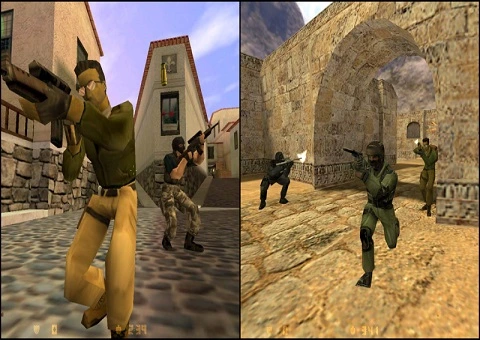
Counter-Strike 1.6 traces its roots back to a mod of the original Half-Life game called "Half-Life: Counter-Strike." This mod was created by Minh "Gooseman" Le and Jess "Cliffe" Cliffe, and it quickly gained popularity among players for its addictive gameplay and tactical team-based action. Due to its success, Valve Corporation decided to hire the developers and release a standalone version of the game, which came to be known as Counter-Strike 1.6.
Counter Strike 1.6 was released in 2003 and became an instant hit, garnering a massive player base and becoming the most popular title in eSports scene. The game's simple yet addictive gameplay, where players join either the terrorist or counter-terrorist team and engage in intense battles in various maps, quickly gained worldwide fame.
Gameplay in Counter-Strike 1.6
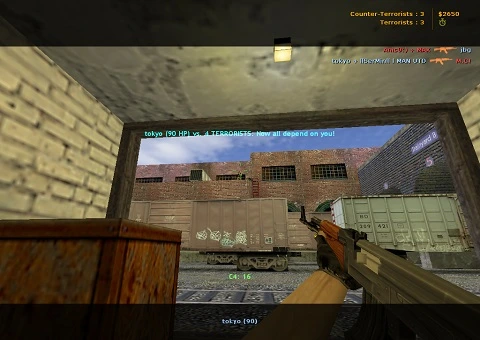
Counter Strike 1.6 is a team-based FPS that emphasizes strategy, teamwork, and skill. Players are divided into two teams, terrorists and counter-terrorists, and engage in rounds of combat in various maps, with the objective being either to plant and detonate a bomb or to rescue or defend hostages.
One of the unique aspects of CS 1.6 is its realistic and fast-paced gameplay. Players need to utilize various weapons, equipment, and tactics to outsmart their opponents and achieve their objective. Communication and coordination with teammates are essential, as well as mastering movement mechanics such as strafing, bunny hopping, and recoil control.
CS 1.6 also features a total of 25 weapons, ranging from pistols and shotguns to rifles and sniper rifles, each with its own characteristics and strengths. Players can also purchase armor, grenades, and other items to gain an advantage in battles.
CS 1.6 Tips and Tricks to become a Pro
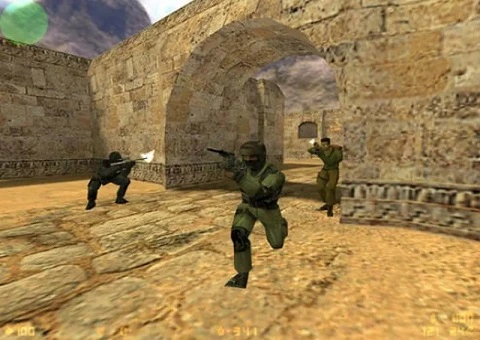
To become pro at CS 1.6 requires practice, skill, and strategic thinking. Here are some tips and tricks to help you improve your gameplay and become a good and why not the best player:
Communication is key: Always communicate and coordinate with your teammates using in-game voice chat or text chat. Sharing information about enemy locations, objectives, and strategies can give your team a crucial advantage.
Map knowledge: Familiarize yourself with the maps in CS 1.6. Knowing the layout, choke points, and hiding spots can help you plan your movements and predict enemy positions.
Weapon proficiency: Practice with different weapons to find the ones that suit your playstyle. Learn to control recoil, aim accurately, and time your shots to maximize your damage output.
Use grenades strategically: Grenades can be powerful tools for gaining an advantage in battles. Learn how to use flashbangs, smoke grenades, and HE grenades effectively to blind enemies, block sightlines, or deal damage.
Tactics and Strategies
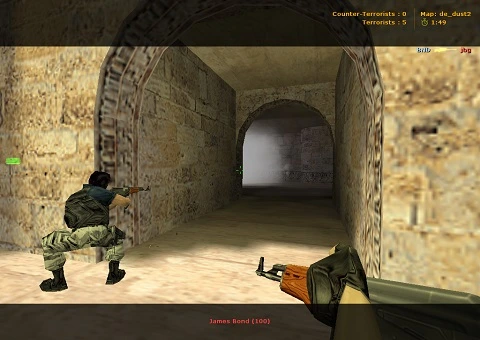
CS 1.6 requires players to think strategically and employ tactics to beat their opponents. Here are some tactics and strategies you can use to gain an edge in the game:
Map control: Controlling key areas of the map can give your team an advantage. Coordinate with your teammates to hold strategic positions, cover each other, and deny the enemy team access to important areas.
Team work: Develop strategies with your team, such as split attacks, fakeouts, or rushes, to catch the enemy off-guard and overwhelm them with coordinated firepower.
Economy management: Money management is crucial in CS 1.6. Make sure to coordinate with your team on when to buy weapons and equipment and when to save money for future rounds. Strategic eco-rounds and weapon drops can also turn the tide of the game.
Play smart: Deception can be a powerful tool in CS 1.6. Use fake footsteps, decoy grenades, and other tactics to confuse the enemy and gain an advantage in battles.
The Legacy of CS 1.6
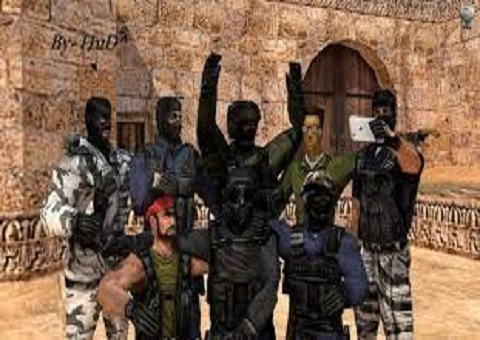
Even after more than two decades since its release, CS 1.6 continues to enjoy a dedicated player base and holds a special place in the history of gaming. Its impact on the gaming industry and the eSports scene is undeniable, with countless tournaments, leagues, and professional players showcasing their skills in CS 1.6 competitions.
The game's community-driven nature has led to the development of numerous mods, maps, and custom content, keeping the game fresh and engaging for players even today. Many players consider CS 1.6 game as a timeless classic that has shaped the first-person shooter genre and influenced subsequent iterations of the Counter-Strike franchise.
In conclusion, Counter Strike 1.6 remains a legendary game that has stood the test of time. Its addictive gameplay, tactical team-based action, and competitive nature have made it a beloved title among gamers for over two decades. Whether you're a veteran player or new to the game, utilizing tactics, strategies, and tips can help you improve your gameplay and experience the thrill of this iconic first-person shooter game.